This product is in stock & ready to be dispatched.
Limited Stock Available:
Stock is running low. Order soon to avoid missing out!
Almost Gone:
Stock is critically low! This product may sell out soon.
Incoming:
Product will be in stock soon.
Usually Ships In:
This product is out of stock and will usually ship in the timeframe displayed.
Sold Out:
This product is currently out of stock.
Request ETA
$879.99
Unit price /
Unavailable
Bidit helps you and Pro Speed Racing agree on a price. You set the price and Pro Speed Racing checks if they can accept your offer. You aren't competing with anyone else.
This store accepts price offers on this product through Bidit. AI agents can negotiate programmatically: when WebMCP is available this page registers the tools bidit_get_offer_context, bidit_make_offer and bidit_add_offer_to_cart. Documentation for the offer flow: /apps/bidit/agents on this store, or https://app.thebidit.com.au/agents.
Make us an offer and we'll try and make it work.
Price$879.99
‹›
$
$0.00$879.99
You have two offers on this product today.
You have two offers on this product today.
Crunching the numbers
Can you meet us higher?
$0.00
First offer
‹›
$
$0.00$879.99
You have one offer remaining on this product today.
You have one offer remaining on this product today.
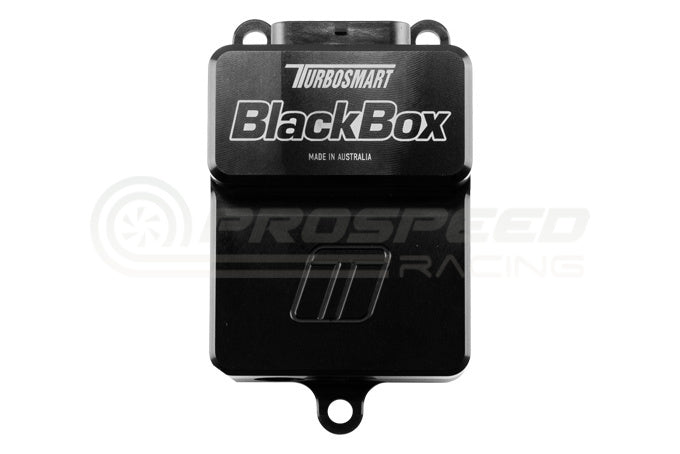
BlackBox by Turbosmart is a dedicated Electronic Wastegate Controller which can be used in cooperation with a range of Factory, Aftermarket and Motorsport ECU’s. The BlackBox provides protection from the current demands and translation of basic as well as more advanced boost control strategies into a gate position and can be used on single, or twin electronic wastegate systems for the ultimate in boost control. The BlackBox is a Dual Channel, High current Capable H-Bridge Driver for use with the Turbosmart range of Electronic External Wastegates, including the StraightGate50 as well as our Electronic poppet style gates including; CompGate40, HyperGate45, ProGate50 and PowerGate60 electronic Wastegates. The BlackBox is capable of multiple strategies and will accept PWM (Pulse Width Modulation) inputs as used for traditional boost control solenoids, 0-5v position target, CAN position target and CAN bus override for more advanced ECU’s where control strategy can be developed natively. The Blackbox provides for auto-calibration of Electronic External Wastegates via a full sweep and includes over temp safety features using the temperature sensor inputs. The BlackBox is pre configured with the flow vs. lift calibration data of all Electronic Actuatuated Wastegates from Turbosmart for simple setup and accurate boost control. Settings can be adjusted via a simple USB connection and PC based application and unlimited control strategies can be implemented with the CAN based override system where your strategy is limited only by your ECU’s capability.
Step 1: Choose message placement
Click the button below and then hover over your page to select a placement.
Step 2: Paste and save
You have copied the placement for the Product Page.
Go back to the App Embeds section, and in the Paypal Advanced Settings, paste the copied value into the
Product Page field and click the 'Save' button in the top right corner.

 | SKU:
TS-0305-1001
| SKU:
TS-0305-1001


