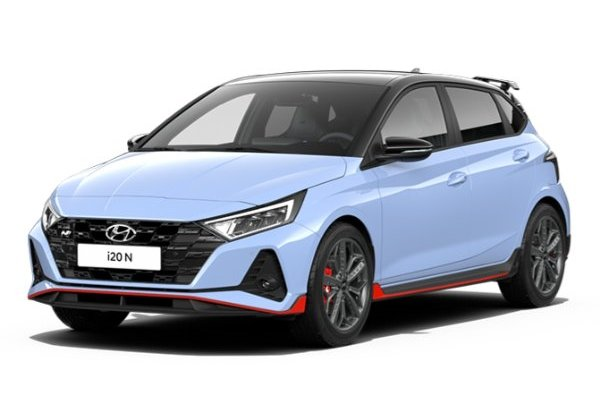
Small in size, big in attitude, the Hyundai i20N BC3 is a pocket rocket engineered for serious fun. With a turbocharged 1.6-litre engine pushing out 201 horsepower and a lightweight chassis, this hot hatch thrives on tight corners and spirited drives. Whether you're carving up backroads or aiming for track-day dominance, the i20N begs for upgrades. At Pro Speed Racing, we provide access to high-performance Hyundai i20N aftermarket parts through our trusted supplier network, helping you fine-tune power, handling, and responsiveness. When stock specs aren’t enough, we’ll help you source what you need to push the limits.
Why Modify Your Hyundai i20N?
Extract more power for quicker acceleration
Upgrade brakes for sharper, more controlled stopping power
Improve handling for confidence through every corner
Upgrade exhaust for a deeper, more aggressive sound
Fine-tune aerodynamics for improved stability at high speeds
Find the Right Parts for Your i20N Build
We’ve made it easy to find the exact parts you need. Browse by category:
Why waste time guessing? Add your Hyundai i20N BC3 to our Garage Function, and we’ll filter the perfect performance parts for your car. No mismatches, just premium upgrades, ready to go.
Why Choose Pro Speed Racing for Your i20N Mods?
A leading provider of high-performance car parts in Australia
Exclusive access to sought-after Japanese and European brands
A dedicated team with a passion for precision tuning
Reliable and speedy shipping across the country
The top choice for track enthusiasts and weekend racers
Upgrade Your Hyundai i20N Today
Ready to take your i20N to the next level? Explore our full range of Hyundai i20N aftermarket parts and start building your ultimate hot hatch today.
Ready to take your i20N to the next level? Explore our full range of Hyundai i20N aftermarket parts, sourced through trusted suppliers, and start building your ultimate hot hatch today.
IMPORTANT: Please refine the fitment for the year, submodel and chassis of your vehicle.
Step 1: Choose message placement
Click the button below and then hover over your page to select a placement.
Step 2: Paste and save
You have copied the placement for the Product Page.
Go back to the App Embeds section, and in the Paypal Advanced Settings, paste the copied value into the
Product Page field and click the 'Save' button in the top right corner.