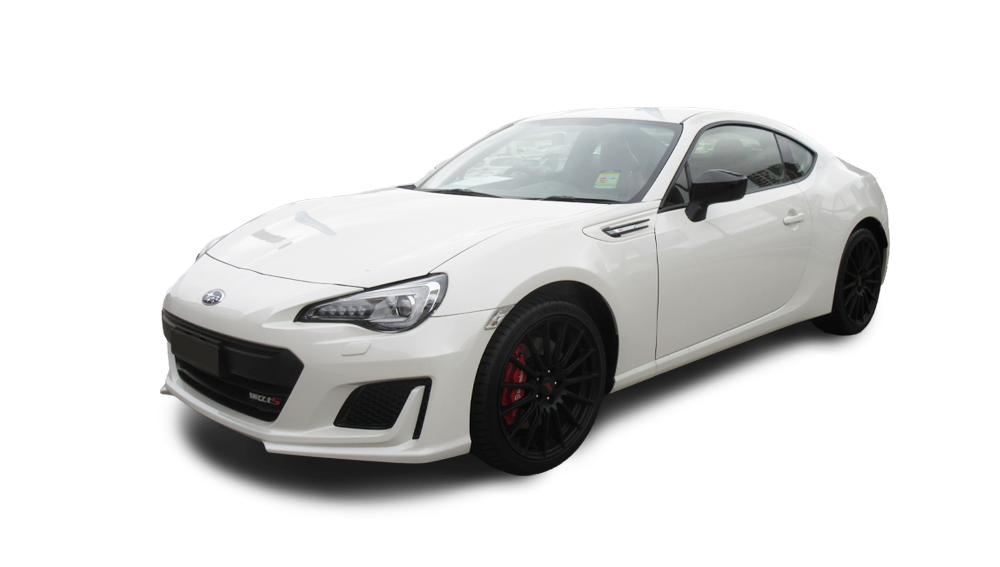
The Subaru BRZ (ZC6) is built for purists—lightweight, balanced, and engineered for precision. With a high-revving 2.0-litre boxer engine, rear-wheel drive, and a low centre of gravity, it delivers razor-sharp response and an unmistakable connection to the road. Whether you’re pushing the limits on a track or carving through winding roads, the BRZ rewards skill and control. If stock performance isn’t cutting it, Pro Speed Racing can help you access the aftermarket parts you need—sourced through our trusted supplier network—to fine-tune every aspect of your BRZ.
Upgrade Your Subaru BRZ for Peak Performance
Improve throttle response with upgraded intakes and tuning
Enhance braking power for better stopping performance
Upgrade suspension for tighter handling and cornering stability
Reduce weight with high-performance components
Optimise exhaust flow for a more aggressive sound
Shop Subaru BRZ (ZC6) Parts by Category
We’ve made it easy to find the right parts for your build. Browse by category:
Save time—add your Subaru BRZ to our Garage Function, and we’ll instantly filter out the performance parts that fit your setup.
Why Buy Subaru BRZ Parts from Pro Speed Racing?
A trusted Australian supplier of high-performance car parts
Access to rare and top-quality brands from Japan and Europe
A team committed to precision tuning and automotive excellence
Fast and secure shipping across the country
The preferred choice of car enthusiasts and motorsport specialists
Start Upgrading Your Subaru BRZ Today
If you're ready to dial in your BRZ for sharper handling and more power, we can help you source the parts to get you there. Browse our full collection of performance upgrades and start building your ultimate setup now.
Check out a wider range of performance parts at Pro Speed Racing—Australia’s trusted destination for aftermarket car parts, supplied through our reliable network of trusted suppliers.
IMPORTANT: Please refine the fitment for the year, submodel and chassis of your vehicle.
Step 1: Choose message placement
Click the button below and then hover over your page to select a placement.
Step 2: Paste and save
You have copied the placement for the Product Page.
Go back to the App Embeds section, and in the Paypal Advanced Settings, paste the copied value into the
Product Page field and click the 'Save' button in the top right corner.